Getting reviews
How to Get Customers to Leave Reviews
A step-by-step guide to asking for reviews at the right moment, in the right way, without breaking Google's rules.
Updated October 13, 2026 · 4 min read
You know reviews matter. They show up in Google search, they build trust, and they help you rank. But asking for them feels awkward. You don't want to seem pushy, and you're not sure what's legal. The good news: there's a right way to do it, and it's simpler than you think.
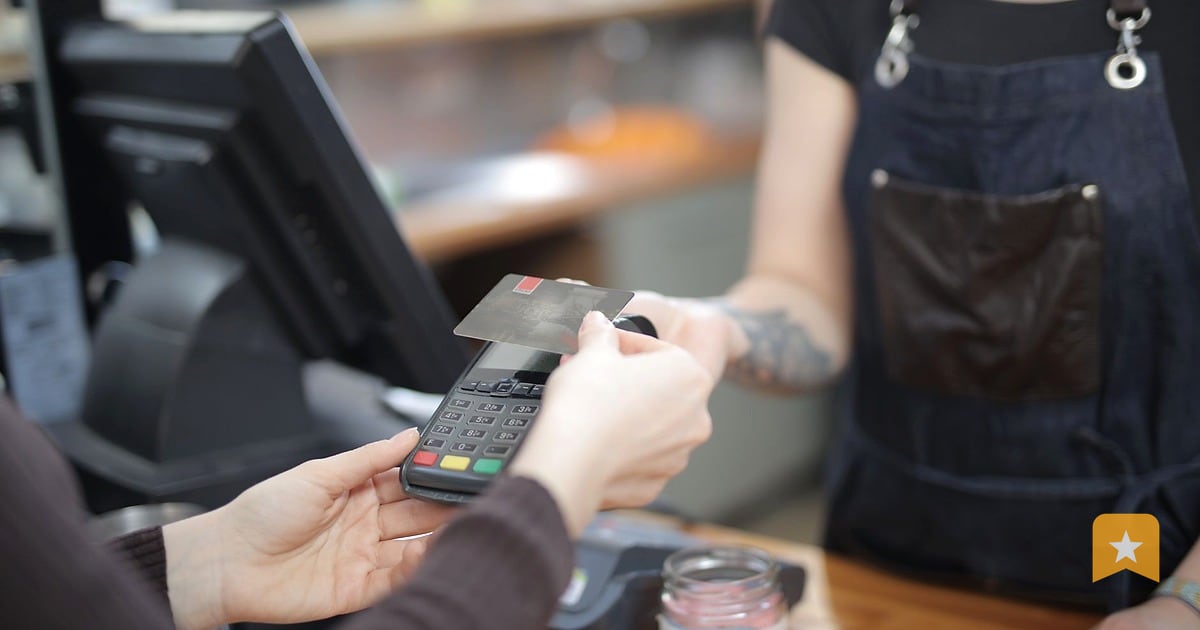
The key is timing and channel. Ask when the customer is happy—right after they've paid, eaten, left your office, or picked up their car. Use the channel they're already using: text, email, a QR code on the receipt, or a tablet at the counter. And always ask everyone the same way. No hiding negative reviews or only asking your best customers.
Ask at the moment of delight
The best time to ask is when the customer still feels good about what you just did. For a restaurant, that's after they've paid. For a contractor, it's when the job is done and they're satisfied. For a dentist or vet, it's as they're leaving.
If you wait a week, they've moved on. If you ask before they've experienced your service, they can't give you honest feedback.
Pick one moment in your workflow where you'll always ask. Train your team to do it the same way every time. Consistency matters more than perfection.
Use a channel that fits your business
Different businesses work best with different channels:
Text message. Fast, personal, and most people read texts within minutes. Works well for auto repair, salons, contractors, and medical offices. You'll need customer phone numbers, which you probably already have.
Email. Good for follow-up if you already have their email. Works for restaurants (receipt), medical practices, and online services.
QR code or printed poster. Put a QR code on the receipt, table tent, or invoice. Customers scan it and land on your review page. No typing required. Works for restaurants, retail, and service counters.
Tablet at the counter. A kiosk mode lets customers rate their visit right there. 4–5 star ratings go straight to Google. Lower ratings go to a private feedback form first, so you can learn what went wrong before it becomes a public review.
In person. A simple "We'd love your feedback on Google" works. Hand them a card with your review link or QR code.
Pick one or two channels and stick with them. Don't overwhelm customers with five different ways to leave a review.
Ask everyone, the same way, every time
Google's rules are clear: you can't ask only your happy customers to leave public reviews while hiding the unhappy ones. That's called review gating, and it violates their policy.
Instead, ask everyone the same question: "Would you mind leaving us a review?" or "We'd appreciate your feedback on Google." Don't screen for star ratings before you ask.
If a customer gives you a low rating, that's information. It tells you what to fix. And it's honest. Google and the FTC both protect real feedback, even when it's negative.
Write a short, friendly ask
Keep it simple. Here are three templates you can adapt:
Text message: "Hi [Name], thanks for coming in today. If you have a moment, we'd love your feedback on Google. [Your review link]"
Email: "Thanks for your visit. If you'd like to share your experience, here's our Google review link: [Your review link]. We appreciate it."
In person: "We'd love to hear what you thought. Here's a quick link to leave a review on Google." (Hand them a card or show them the QR code.)
Don't offer incentives. No "leave a review and get 10% off." That's against Google's rules and the FTC's fake-review rule. Real reviews are worth more than fake ones.
Track what's working
Once you start asking, you'll want to know if it's working. When you claim your business page on LinkToReview, you get a dashboard that shows you:
- How many people visited your review page
- How many new reviews you got this week
- How many people left private feedback (1–3 star ratings)
Use that data to adjust. If text works better than email, send more texts. If your team forgets to ask, set a reminder or put a sign at the register.
Respond to every review
Once reviews start coming in, respond to them. Thank customers for specifics ("Thanks for mentioning how clean our office was"), and never argue or reveal private details in your reply.
Responding does two things: it shows future customers you care, and it tells Google your business is active and engaged. It takes five minutes per review.
This week
- Pick your moment: when will you ask? (After payment? At checkout? As they leave?)
- Pick your channel: text, email, QR code, or in person.
- Write your ask in plain words. Keep it under 25 words.
- Get your review link. If you don't have one, find it here.
- Train one person on your team to ask this week. Show them the script.
- Ask five customers and see what happens.
- Next week, ask everyone.
Start small. Consistency beats perfection. Once asking becomes a habit, reviews will follow.
FAQ
Can I offer a discount or prize for leaving a review?
No. Google's policy and the FTC's fake-review rule both ban incentives for reviews. Real reviews are worth more than fake ones, and incentivized reviews can cost you credibility and trust.
What if I only ask my happy customers to leave public reviews?
That's review gating, and it breaks Google's rules. Ask everyone the same way. If a customer gives you a low rating, show it privately first so you can learn from it. They can still choose to post publicly if they want.
How long does it take to see results?
If you ask consistently, you'll see new reviews within days or weeks. The more customers you ask, the more reviews you'll get. Steady asking beats one big push.
What should I do if a customer leaves a bad review?
Respond professionally. Thank them for the feedback, apologize if something went wrong, and offer to make it right. Never argue or reveal their private details in your reply. Bad reviews are a chance to show other customers you care about fixing problems.
Do I need a special tool to ask for reviews?
No. You can ask in person, by text, or by email with just your Google review link. But if you want to track how many people visit your review page, see private feedback, or use a kiosk at the counter, a review page like LinkToReview helps you stay organized.