By industry
Local SEO for Veterinarians: Reviews, Profile, and Search Visibility
How to show up in Google search and maps when pet owners look for a vet near them, using your profile, reviews, and website.
Updated October 27, 2026 · 5 min read
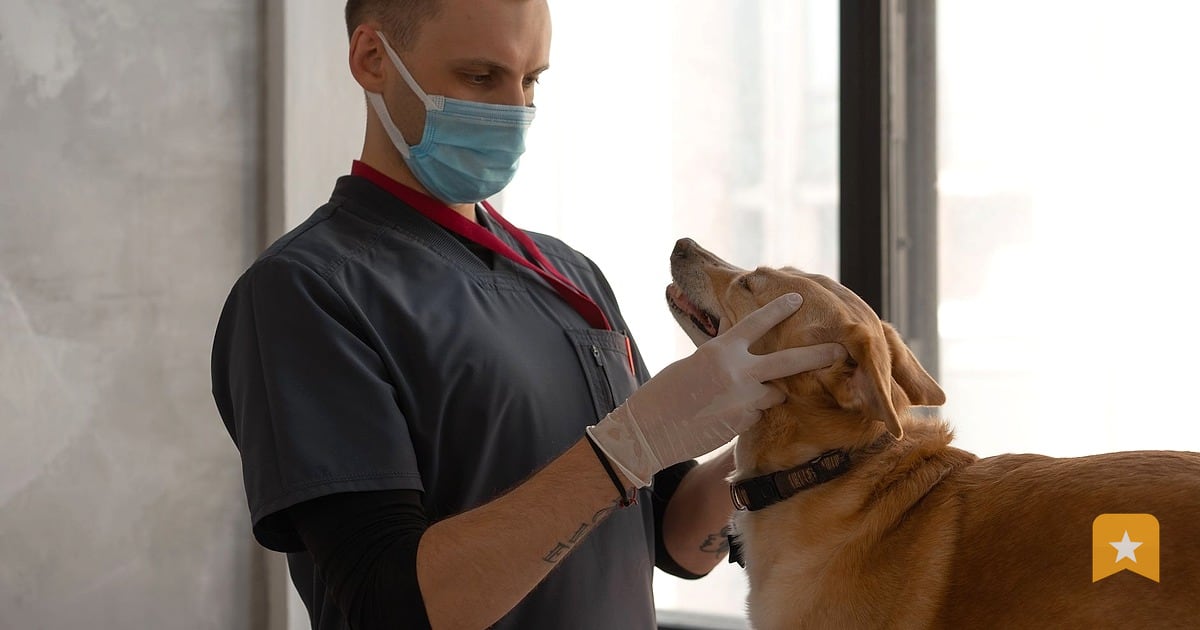
When someone searches "vet near me" or "emergency vet in [your town]," Google decides which clinics to show based on three things: your Google Business Profile, your reviews, and your website. You can't control Google's algorithm, but you can control what you put in front of it.
This playbook walks you through the moves that matter for veterinary practices: claiming and filling out your profile, asking for reviews the right way, and making sure your website helps Google understand what you do.
Step 1: Claim and Complete Your Google Business Profile
Your Google Business Profile is the first thing a pet owner sees when they search for a vet. If you haven't claimed it yet, do that now at google.com/business.
Once you're in, fill in every field:
- Business name: Use your legal name exactly as it appears on your license and website.
- Address: Make sure it matches your website and other listings (Google flags mismatches).
- Phone: Use the number pet owners actually call.
- Hours: Update these if you change them seasonally or for holidays. Outdated hours send people away.
- Website: Link to your homepage, not a review page.
- Services: Add what you offer—wellness exams, surgery, dental, emergency care, boarding, grooming, lab work. Be specific.
- Photos: Upload 5–10 clear photos of your waiting room, exam rooms, and staff. Google shows these in search results.
- Description: Write 2–3 sentences in plain language about what makes your clinic different. Example: "We offer same-day appointments for sick pets and a full surgical suite. We're open weekends."
- Attributes: Toggle on things like "accepts new patients," "wheelchair accessible," "has parking."
Check your profile every month. Competitors sometimes edit it, and Google occasionally resets fields.
Step 2: Build Review Velocity Without Breaking the Rules
Google's algorithm looks at how many reviews you get and how recent they are. A steady flow of reviews over time signals to Google that you're active and trusted.
The rule: you can ask for reviews. You cannot pay for them, offer incentives, or ask only happy customers while hiding unhappy ones. That's called gating, and it violates Google's policy.
Here's how to ask:
- At checkout: Hand the pet owner a card or QR code with your Google review link. Say: "We'd love your feedback on Google. Scan here or text me if you have questions."
- By text: Send a text 2–3 days after a visit (when the experience is fresh but the pet is home and calm). Use a link to your Google review form. See How to Ask for a Google Review by Text Message for scripts and timing.
- By email: Include your review link in a follow-up email after surgery or a procedure.
- On your website: Add a link to your Google review form in the footer or on a "Contact" page.
Don't ask only after good visits. If someone had a bad experience, they'll leave a review anyway—and you'll have a chance to respond and show other pet owners how you handle problems.
Step 3: Respond to Every Review
Google's algorithm rewards clinics that respond to reviews. It also shows pet owners that you're paying attention.
Respond within 48 hours if you can. Keep it short (2–3 sentences), thank them for a specific detail, and never argue or reveal private information about their pet.
For positive reviews: "Thank you for bringing Bella in for her checkup. We loved seeing her and are glad her teeth are looking great. We look forward to her next visit."
For negative reviews: "We're sorry to hear your experience didn't meet your expectations. We'd like to make it right. Please call us at [phone] so we can talk through what happened."
See How to Respond to Positive Google Reviews and How to Respond to Negative Google Reviews for more templates.
Step 4: Make Your Website Help Google Understand Your Practice
Google crawls your website to understand what you do. If your site doesn't mention "veterinarian," "animal hospital," "pet surgery," or your town, Google has a harder time showing you to the right people.
Add these to your website:
- Your town and county in the header, footer, or "About" page. Example: "Serving pets in Springfield and surrounding areas since 2010."
- Service pages: Create a page for each major service (wellness, surgery, dental, emergency). Use plain language and include your town.
- FAQ schema: Add a FAQ section to your website with questions pet owners actually ask ("Do you accept new patients?" "What should I do if my pet is limping?"). Google can show these in search results.
- LocalBusiness schema: This is code that tells Google you're a local business. Most website builders add this automatically, but ask your web person to confirm.
Step 5: Track What's Working
You don't need fancy tools to start, but you should know:
- How many people visit your Google Business Profile each week.
- How many reviews you get each month.
- Which search terms bring people to you ("emergency vet near me" vs. "cat dentist" vs. your town name).
Google Business Profile shows you profile views and actions (calls, direction requests, website clicks) for free. If you want to track reviews and search demand over time, see linktoreview.com/pricing.
Step 6: Ask for Reviews From Specific Moments
Pet owners are most likely to leave a review right after a good experience. Target these moments:
- After a wellness exam: "Fluffy's looking great. We'd love a quick review on Google if you have a minute."
- After surgery or a procedure: Wait 3–5 days (when the pet is recovering well), then ask.
- After an emergency visit: If you helped them through a scary moment, they'll remember it.
- After a long-term treatment: If you helped their pet get better over weeks or months, ask at the final checkup.
Don't ask after a bad visit, a missed appointment, or a complaint. Let them cool off, then respond to their review if they leave one.
This Week
- Claim your Google Business Profile if you haven't already (google.com/business). Spend 30 minutes filling in every field.
- Add your Google review link to your checkout counter (print it or display it on a tablet). See How to Share Your Google Review Link for the link format.
- Respond to your last 5 reviews (positive and negative). Keep each response to 2–3 sentences.
- Pick one service page on your website and add your town name and 2–3 service details to it.
- Send a review request text to 3 pet owners who had good visits in the past week. Use a direct link to your Google review form.
FAQ
Does asking for reviews hurt my clinic if someone leaves a bad one?
No. Google's algorithm rewards clinics that get reviews—good and bad. A bad review with a thoughtful response from you looks better to other pet owners than no reviews at all. It shows you care about feedback and fix problems. Never ask only happy customers to review; that's gating, and it breaks Google's rules.
How many reviews do I need to rank in Google Maps?
There's no magic number. Google looks at review count, rating, recency, and how consistent they are. A clinic with 20 recent 4.8-star reviews will usually rank higher than one with 100 old 4.2-star reviews. Focus on steady growth, not a big burst.
Can I offer a discount or free item if someone leaves a review?
No. Google and the FTC both ban incentivized reviews. You can ask for a review, but you can't offer anything in return—not a discount, free exam, or entry into a raffle. You can offer a discount for a visit, but not for a review.
What if a review is fake or violates Google's policy?
Report it to Google from your Business Profile. Click the review, then "Flag as inappropriate." Google reviews fake reviews regularly, but it takes time. In the meantime, respond professionally and don't engage with the reviewer.
How often should I ask for reviews?
Ask after every good visit, but space out your requests so you're not overwhelming the same pet owners. If someone comes in monthly, ask every 3–4 visits. If they come once a year, ask once a year.