By industry
Veterinary Clinic Marketing: Reviews, Profile, and Local Search
How to use Google reviews, your business profile, and local search visibility to attract pet owners and build trust in your veterinary practice.
Updated October 26, 2026 · 6 min read
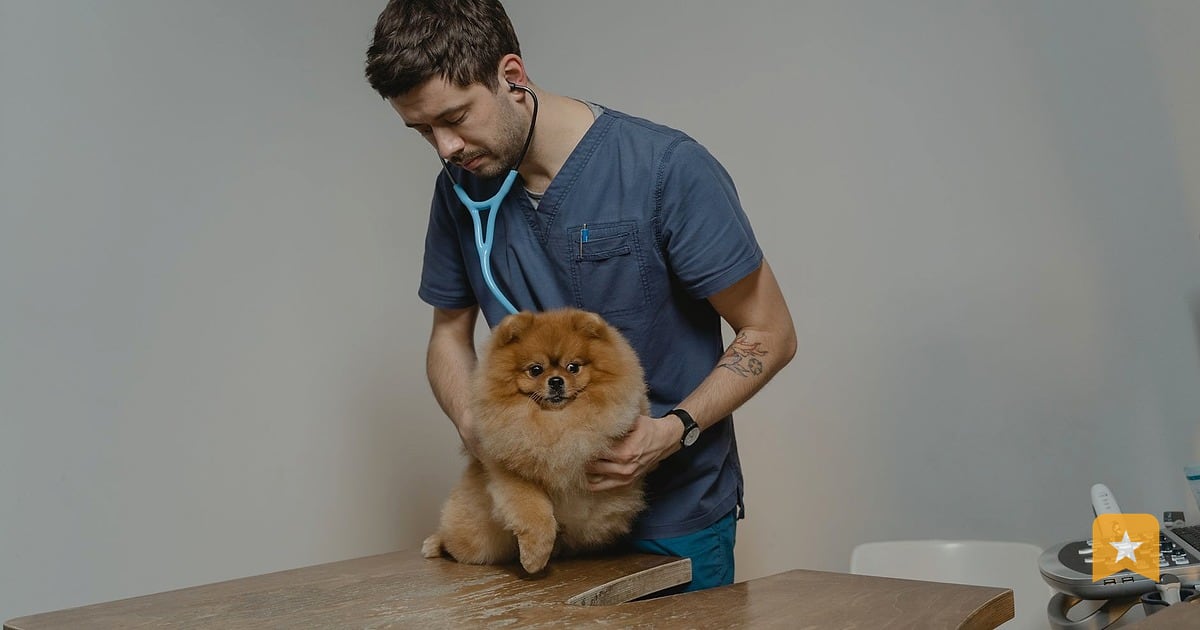
Pet owners search for veterinary clinics when their animals need care—often in a hurry. They read reviews before they call. Your marketing job is to make sure they find you, see what past clients say, and feel confident enough to book an appointment.
This playbook walks you through the three pillars of veterinary clinic marketing: getting honest reviews from pet owners, keeping your Google Business Profile complete and current, and making sure you show up in local search results when someone nearby needs a vet.
Why Reviews Matter More for Vets Than Most Businesses
Pet owners treat their animals like family. They want to know that your clinic is clean, that your staff is kind, and that you know what you're doing. A review from someone who brought their dog or cat to you is worth more than any ad.
When a pet owner searches "vet near me" or "emergency vet," Google shows them your clinic's rating and review count right in the map results. A clinic with 40 reviews and a 4.8 rating will get more clicks than one with 8 reviews and a 4.5 rating—even if both are equally good.
Reviews also give you feedback. You'll learn what people love ("Dr. Smith was so patient with my anxious cat") and what needs work ("Long wait times"). That's marketing gold.
Step 1: Claim Your Google Business Profile and Fill It Out Completely
Your Google Business Profile is your storefront on Google Maps and Search. If you haven't claimed it yet, do that now at google.com/business.
Once you're in, fill in every field:
- Business name: Use your exact legal name (e.g., "Riverside Animal Clinic" not "Riverside Animal Clinic - Best Vets").
- Address and phone: Make sure these match your website and other listings.
- Hours: Include holiday closures and emergency hours if you offer them.
- Website: Link to your main site.
- Services: Add what you offer—wellness exams, vaccinations, surgery, dental cleaning, emergency care, boarding, grooming, etc.
- Photos: Upload clear photos of your waiting room, exam rooms, staff, and happy pets (with owner permission). Google shows these in search results.
- Description: Write 2–3 sentences about your clinic. Example: "Riverside Animal Clinic has served pets in the neighborhood for 15 years. We offer preventive care, surgery, and emergency services. Our team is certified and compassionate."
A complete profile ranks better in local search and gives pet owners the info they need to call.
Step 2: Ask for Reviews the Right Way
You can ask for reviews. You just can't pay for them, offer a discount for a good review, or hide bad reviews. Google's rules are clear: ask everyone equally, and let them say what they think.
The best time to ask is right after a good visit—when the pet owner is happy and the experience is fresh. You have a few options:
At the front desk: Hand a printed card or QR code with your review link as they check out. Say: "If you had a good experience, we'd love a review on Google. It helps other pet owners find us."
By text or email: Send a message a day or two after the visit. Keep it short: "Hi Sarah, thanks for bringing Buddy in yesterday. If you have a moment, we'd love your feedback on Google: [your review link]. Thanks."
On your receipt: Print your review link or QR code on the bottom of the invoice.
Don't ask only happy customers. Don't say "Only leave a review if you loved us." That's review gating, and it breaks Google's rules. Ask everyone. If someone has a complaint, they can tell you privately first, or post publicly—that's their choice.
For help with text-based requests, see How to Ask for a Google Review by Text Message.
Step 3: Respond to Every Review—Good and Bad
When someone leaves a review, respond. It shows you care, and it tells other pet owners that you're engaged.
For positive reviews: Thank them by name, mention a specific detail ("Thanks for the kind words about Dr. Chen's care with Max"), and invite them back. Keep it to 2–3 sentences.
Example: "Thank you so much, Jennifer. We loved meeting Bella and are so glad her ear infection cleared up. We look forward to seeing her again soon."
For negative reviews: Don't argue or get defensive. Apologize for the bad experience, offer to make it right, and ask them to call or email privately. Never reveal details about the pet or owner in your reply.
Example: "We're sorry to hear about your wait time on Tuesday. That's not the standard we set for ourselves. Please call us at [phone] so we can talk about what happened and how we can do better."
Responding takes 5 minutes per review and builds trust. It also signals to Google that your profile is active.
Step 4: Track Your Local Search Visibility
You need to know if pet owners can find you. Search "vet near me," "emergency vet [your city]," and "cat vet [your city]" from your location. Do you show up in the map results? On page one?
If you're not showing up, or you're below competitors, your profile might be incomplete, you might not have enough reviews, or your reviews might be old. The fix is usually a combination of:
- Completing your profile (see Step 1).
- Getting steady new reviews (see Step 2).
- Responding to reviews (see Step 3).
- Making sure your address, phone, and hours are correct everywhere—your website, Facebook, Yelp, and other directories.
For a deeper dive, see How Reviews Affect Your Google Map Pack Ranking.
Step 5: Use a Review Page to Manage Feedback
You can also set up a review page at LinkToReview where pet owners rate their visit. When they give you 4 or 5 stars, they go straight to your Google review form. If they give 1–3 stars, they can leave private feedback first—so you hear about problems before they become public reviews.
Claim your page for free at linktoreview.com. You'll get a review link and QR code to print and share. Paid plans add features like AI-drafted replies, rank tracking, and a team dashboard so your staff can help manage reviews.
Step 6: Build a Steady Review Habit
Don't ask for reviews once and stop. Make it part of your routine. Ask every pet owner who has a good visit. Aim for one or two new reviews a week. A steady flow of recent reviews tells Google that your clinic is active and trusted.
Set a reminder: every Monday, check your reviews. Respond to any new ones. Look for patterns in feedback. If three people mention "friendly staff," that's a strength to highlight. If two mention "hard to find parking," that's something to address.
This Week
- Claim your Google Business Profile (if you haven't already) and fill in every field.
- Create a review link and print it on a card or poster for your front desk.
- Respond to your last five reviews—good or bad.
- Search "vet near me" from your location and note where you appear in the map results.
- Send a text or email to three recent pet owners asking for a review.
Start with these five steps. Consistency beats perfection. In a month, you'll see more reviews. In three months, you'll see better search visibility.
FAQ
Can I offer a discount or free service for a Google review?
No. Google's policy prohibits paying for reviews or offering incentives tied to a review. You can ask for reviews, but the review itself has to be free and voluntary. If you offer a discount for leaving a review, Google can remove the reviews and penalize your profile.
What if a pet owner leaves a bad review that's not true?
Respond professionally and offer to talk privately. Don't argue in the reply. If the review is fake or violates Google's policy, you can report it to Google. For details, see [How to Report and Remove a Fake Google Review](/playbook/how-to-report-and-remove-a-fake-google-review).
How many reviews do I need to rank well in local search?
There's no magic number. More reviews help, but recency and consistency matter more. A clinic with 20 recent reviews will rank better than one with 100 old reviews. Aim for steady new reviews every week.
Should I ask only happy customers for reviews?
No. Ask everyone equally. If you only ask happy customers, that's review gating, which breaks Google's rules. If someone had a bad experience, they can leave private feedback or post publicly—that's their choice.
Where should I put my review QR code?
Put it where pet owners see it on their way out: on the front desk counter, on receipts, on a poster by the door, or on your appointment reminder card. The easier you make it, the more people will scan it.