Local SEO
Local SEO for Auto Repair Shops: Reviews, Profile, and Search Visibility
How to rank higher in Google Maps, build trust with reviews, and get found by customers searching for repair shops near them.
Updated October 22, 2026 · 6 min read
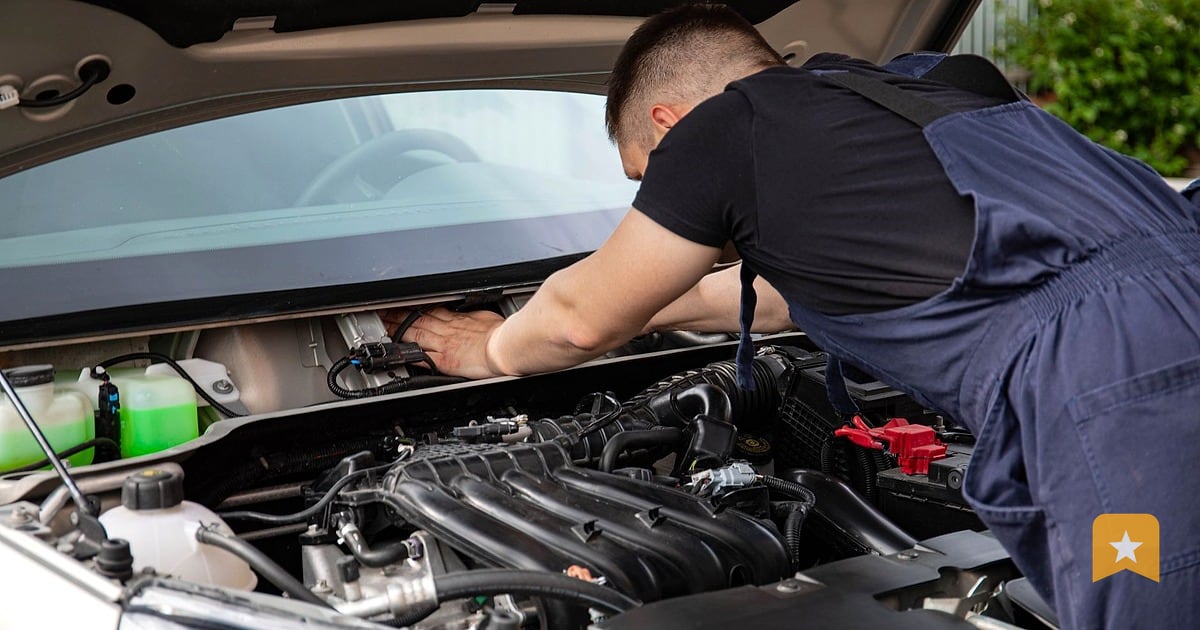
When someone's car breaks down, they search Google. Most of the time, they search "auto repair near me" or "transmission repair [city]" on their phone while standing in a parking lot. If your shop doesn't show up in the Google Maps results on that first screen, you lose the job to a competitor who did the work to get there.
Local SEO for auto repair shops is different from other trades because customers are often stressed, in a hurry, and making a decision based on three things: location, price, and trust. Google Maps ranking, your Business Profile, and reviews handle all three. This playbook walks you through the mechanics.
How Google Decides Which Auto Repair Shops to Show
Google's local search algorithm looks at three main signals:
Relevance. Does your Business Profile match what the customer is searching for? If they search "brake repair," Google checks whether you've listed brake service as one of your services. If your profile says "general auto repair" but doesn't mention brakes, you're less likely to rank.
Distance. Google prioritizes shops close to the customer's location or search area. You can't move your shop, but you can make sure your address is correct and consistent everywhere online.
Prominence. This is where reviews, your Google Business Profile completeness, and your website matter. A shop with 50 reviews and a full profile ranks higher than one with five reviews and a bare-bones profile, all else equal. Google sees a strong profile and lots of customer feedback as a signal that you're a real, trusted business.
Reviews are the single biggest factor you control. They affect both prominence and click-through rate. Customers see your star rating before they click. A 4.8-star shop gets more clicks than a 3.2-star shop, even if both appear on the map.
Claim and Complete Your Google Business Profile
If you haven't claimed your Google Business Profile yet, do it now. Go to google.com/business and search for your shop by name and address. If it exists, click "Manage now." If it doesn't, create one.
Once you've claimed it, fill in every field:
- Business name, address, phone, hours. Make sure these match your website and any other online listings. Mismatches confuse Google and hurt your ranking.
- Services. List every service you offer: oil changes, brake service, transmission repair, tire rotation, diagnostics, etc. Be specific. Don't just say "auto repair."
- Photos. Upload photos of your shop front, your service bays, your team, and your waiting area. Customers want to see where they're taking their car. Fresh photos signal an active business.
- Business description. Write 2–3 sentences about what makes your shop different. Do you specialize in a brand? Do you offer same-day service? Do you have ASE-certified techs? Say it here.
- Website. Link to your website. Make sure it works on mobile.
- Attributes. Check boxes for things like "accepts credit cards," "has parking," "wheelchair accessible," and "online estimates available" if they apply.
A complete profile ranks higher and gives customers the information they need to call or visit.
Ask for Reviews at the Right Moment
The best time to ask for a review is when the customer is happy and the work is fresh in their mind. For auto repair, that's usually when they pick up their car and you hand them the invoice.
Train your front desk or service advisor to ask in person: "We'd love to hear about your experience. Would you mind leaving a review on Google? It takes about a minute and really helps us." Hand them a card with your Google review link or a QR code they can scan right there.
If they say yes, they can do it on their phone before they leave. If they say no, don't push. A forced review feels fake and can backfire.
For customers who don't leave a review in person, send a text message 24 hours after they pick up their car. Text is higher open rate than email for service businesses. Keep it short: "Thanks for trusting us with your [car make]. If we did right by you, we'd appreciate a Google review. [link]" Include your Google review link or QR code.
Never ask only happy customers to review publicly while hiding negative feedback. Google's policy prohibits this practice, called review gating. If you ask for reviews, you must be open to all feedback, including 1–3 star reviews.
Respond to Reviews—Good and Bad
Every review you get is a chance to show other customers how you handle problems and treat people.
For positive reviews: Say thank you, mention a specific detail from their review, and invite them back. Example: "Thanks for the kind words about our quick turnaround on your brake service. We look forward to seeing you again." Keep it short and genuine. Don't sound like a robot.
For negative reviews: Don't argue or get defensive. Acknowledge the complaint, apologize if something went wrong, and offer to make it right. Example: "We're sorry to hear your experience fell short. We'd like to understand what happened and fix it. Please call us at [number] so we can talk." Take the conversation offline. Never reveal customer details in your reply.
Responding to reviews signals to Google that you're an active, engaged business owner. It also shows potential customers that you care about feedback. Shops that respond to reviews tend to get more reviews over time.
Build a Steady Flow of Reviews
One big burst of reviews looks suspicious to Google. A steady flow of a few reviews every week looks like real business. Aim for at least one new review per week.
Here's a simple rhythm:
- Every day: Ask in person at pickup.
- Every evening: Send a text to customers who picked up that day.
- Every week: Check your reviews. Respond to any new ones within 24 hours.
- Every month: Look at your review trends. Are you getting fewer reviews? Remind your team to ask.
If you're using LinkToReview, you can set up review-request texts and emails from your dashboard. You can also see which customers left feedback (even private feedback) and follow up.
Track Your Local Search Performance
You can't improve what you don't measure. Set up Google Business Profile insights to see:
- How many people searched for your shop by name.
- How many people searched for services you offer (e.g., "brake repair near me").
- How many people called, visited your website, or asked for directions.
- How your review count and rating changed month to month.
If you're on the Growth AI or Pro plan with LinkToReview, you also get rank tracking. You can see where you rank on Google Maps for phrases like "auto repair [your city]" or "transmission repair near me," and how your rank compares to competitors.
Track one phrase per month. If you rank #5 for "auto repair [city]," your goal might be to move to #3 in three months by getting more reviews and keeping your profile fresh.
This Week
- Claim your Google Business Profile if you haven't. Verify your address and phone number.
- Fill in your services in full detail. Don't just say "auto repair."
- Upload at least three photos of your shop, bays, and team.
- Create or find your Google review link. Test it on your phone.
- Print a few review cards or QR codes and put them at your front desk.
- Ask your next three customers for a review in person. Note what happens.
- Respond to any reviews you got in the past week. Keep it short and genuine.
FAQ
How long does it take to rank higher on Google Maps?
There is no way to promise a ranking or a timeline. Shops with more reviews, complete profiles, and consistent local information tend to rank higher. Most shops see movement within 2–3 months of steady review activity and profile updates.
Should I offer a discount for a review?
No. Google's policy prohibits paying for reviews or offering incentives. Violations can result in your profile being suspended. Ask for reviews because you earned them, not because you're paying for them.
What if a customer leaves a fake or unfair review?
Report it to Google through your Business Profile. Google removes reviews that violate its policy (e.g., reviews from competitors, spam, or reviews about something other than your service). Respond professionally to unfair reviews, but don't argue.
Do I need a website to rank on Google Maps?
No. Google Maps ranking is based mainly on your Business Profile, reviews, and location. A website helps with overall local SEO and gives customers a place to learn more, but it's not required for Maps ranking.
How many reviews do I need to compete?
It depends on your market. In a small town, 20–30 reviews might put you at the top. In a big city, you might need 100+. Focus on steady growth rather than a target number. One new review per week is a solid pace.