By industry
Google Reviews for Optometrists and Eye Care Practices
How eye-care practices ask for reviews at the optical counter and after exams, stay HIPAA-safe in replies, and stand out from retail chains.
Updated September 11, 2026 · 5 min read
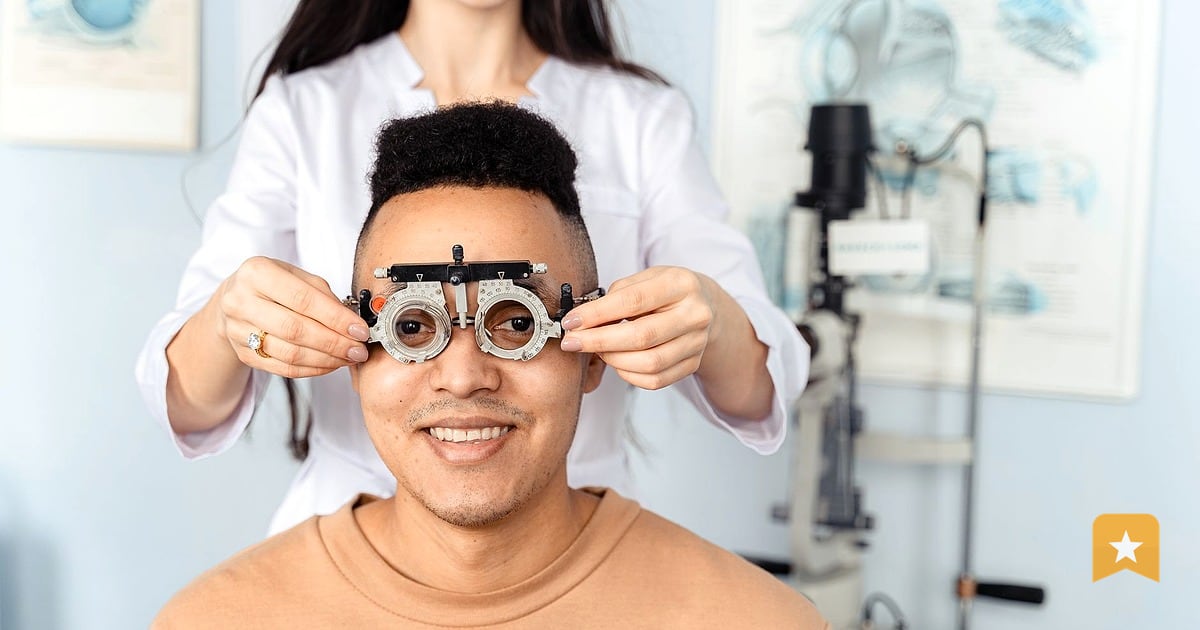
Competing with the chains on trust
Chain optometry practices—LensCrafters, Pearle Vision, America's Best—have scale and ad budgets. What they don't have is you. Your patients know you by name. They trust your clinical judgment because they've sat across from you, not a rotating staff.
Google reviews for optometrists are where that trust gets amplified or lost. A patient who had a good exam but felt rushed will say so. A frame fit that solved a headache will get mentioned. And chains, with their high volume and staff turnover, often accumulate complaints about wait times and inconsistent care.
Your job is simple: make it easy for satisfied patients to say what they already think. When you do, Google's algorithm notices. Practices with steady, recent reviews rank higher in local search. That means when someone searches "eye doctor near me" or "optometrist in [your city]," you show up ahead of the big box.
The barrier isn't that patients don't want to leave reviews. It's that they forget, or they don't know how, or they think it takes ten minutes. You remove that friction. That's how you compete.
Two moments: after the exam, and at frame pickup
Timing matters. A patient is most likely to leave a review when the experience is fresh and they feel good about the outcome.
After the exam: The patient has answers. They know their prescription. If you found something—early cataracts, dry eye, a need for bifocals—you've explained it and they trust your plan. This is the moment they feel most confident in your care. Before they leave, ask. A simple line: "If you had a good experience today, we'd appreciate a Google review. It takes a minute and helps other people find us."
At frame pickup: The frames fit. They look good. The patient is wearing them and seeing clearly. This is often the second touchpoint, and it's a second chance to ask. The patient has now had the full experience—exam plus product. If they're happy, they're ready to say so.
Don't ask only the people who seem happiest. Don't skip the patient who had a minor complaint or asked a lot of questions. Google prohibits review gating: you must ask everyone the same way. That's the rule. It also happens to be fair and more effective. A patient who felt heard, even if they had a concern, is more likely to leave an honest positive review than someone who felt filtered.
The optical counter QR
A QR code on your optical counter—or on a small sign at checkout—removes the last excuse: "I don't know how to find your Google page."
Patients pull out their phone, tap the code, and land on your Google Business Profile. From there, they can leave a review in seconds. No login required if they're already signed into Google (most are).
You can generate a free QR code that points to your Google review link. QR codes for health & wellness practices work especially well in medical settings because they're contactless and quick—no forms, no friction.
Place the code where patients naturally pause: at the optical counter while they're paying, or near the exit. Pair it with a one-sentence prompt: "Let us know how we did—scan to review." That's it. No pressure, no incentive, no gating.
If you want to track which reviews come from the counter versus word-of-mouth, you can use a free review page tool like LinkToReview, which gives you a dedicated review page and QR code. Customers tap a star, and 4–5 star customers are sent directly to Google, while 1–3 star customers can send you private feedback first. Everyone is asked the same way, which is what Google requires.
HIPAA-safe replies
You will get reviews that mention clinical details: "Dr. Smith found my astigmatism and now I see perfectly." Or: "I've had dry eye for years and finally got relief here."
Under HIPAA, you cannot confirm or reveal that the reviewer is a patient, and you cannot disclose any treatment details in your public reply—even if the reviewer shared them first. A public reply is visible to anyone on the internet. That's a privacy violation.
A HIPAA-safe reply is generic. Thank the person. Restate your practice's general standards. Invite them to contact the office directly if they have questions.
Example:
"Thank you for taking the time to leave a review. We're glad you're happy with your care. If you ever have questions or concerns, please don't hesitate to reach out to our office directly. We look forward to seeing you again."
What not to do:
"Thank you for the kind words about your astigmatism correction. We're thrilled the new prescription is working so well for you."
That second reply confirms the reviewer is a patient and discloses their diagnosis. It's a HIPAA violation, even though the patient mentioned it first.
When you respond to negative reviews, use the same generic approach. Don't confirm details, don't argue about clinical decisions, and don't ask the patient to take the review down. Acknowledge their concern, invite them to discuss it privately, and move on.
Mentioning services (exams, contacts, frames) without gating
You want patients to know you offer comprehensive exams, contact lens fittings, and a full frame selection. But you can't say "Leave a 5-star review and get 20% off frames." That's an incentive, and Google prohibits it.
You also can't say "Only patients who had a great exam should review us." That's gating, and it's also prohibited.
What you can do: mention your services in your Google Business Profile description, in your posts, and in your website. Be specific. "Full-service optometry: comprehensive eye exams, contact lens fittings, and designer and budget frames in-house." That tells patients what to expect and gives them reasons to choose you.
When you ask for a review in person, you can reference what they just experienced: "We're glad the exam went well and you found frames you love. If you'd recommend us to a friend, a Google review really helps." You're not conditioning the ask on a positive review. You're simply acknowledging the service they received and making a natural connection.
Over time, as you build a steady stream of reviews that mention exams, contacts, and frames, Google's algorithm learns that your practice is known for those services. That helps you rank higher when someone searches "optometrist near me" or "eye exam in [city]" or compare eye doctors by city.
Key takeaways
- Ask for reviews at two moments: right after the exam and at frame pickup, when patients feel most confident in your care.
- Ask everyone the same way. Google prohibits gating (asking only happy patients) and incentives (discounts for reviews).
- Use a QR code at your optical counter to make it frictionless. A patient can leave a review in 30 seconds.
- Reply to all reviews, but keep replies generic and HIPAA-safe. Never confirm a patient's identity or disclose treatment details in a public reply.
- Mention your services (exams, contacts, frames) in your profile and posts, not as conditions for reviews.
FAQ
Can an optometrist ask for Google reviews?
Yes. You can ask patients directly to leave a review. You must ask everyone the same way—don't selectively ask only the happiest patients, and don't offer incentives like discounts or free services in exchange for a review. Google prohibits both gating and incentives.
How do I reply to a review about a prescription problem?
Keep your reply generic and HIPAA-safe. Thank the patient, restate your practice's commitment to care, and invite them to contact your office directly to discuss the issue. Do not confirm their identity as a patient or disclose any clinical details in your public reply, even if they mentioned those details in the review.
Should frame pickup or the exam be the ask moment?
Both work. After the exam, patients feel confident in your clinical judgment. At frame pickup, they've experienced the full service and can see the results. If you can only pick one, start with frame pickup—the patient has the complete picture and is in a positive mood. But asking at both moments gives you two chances to capture the review while the experience is fresh.